Underscore: background music that follows the scene you’re reading
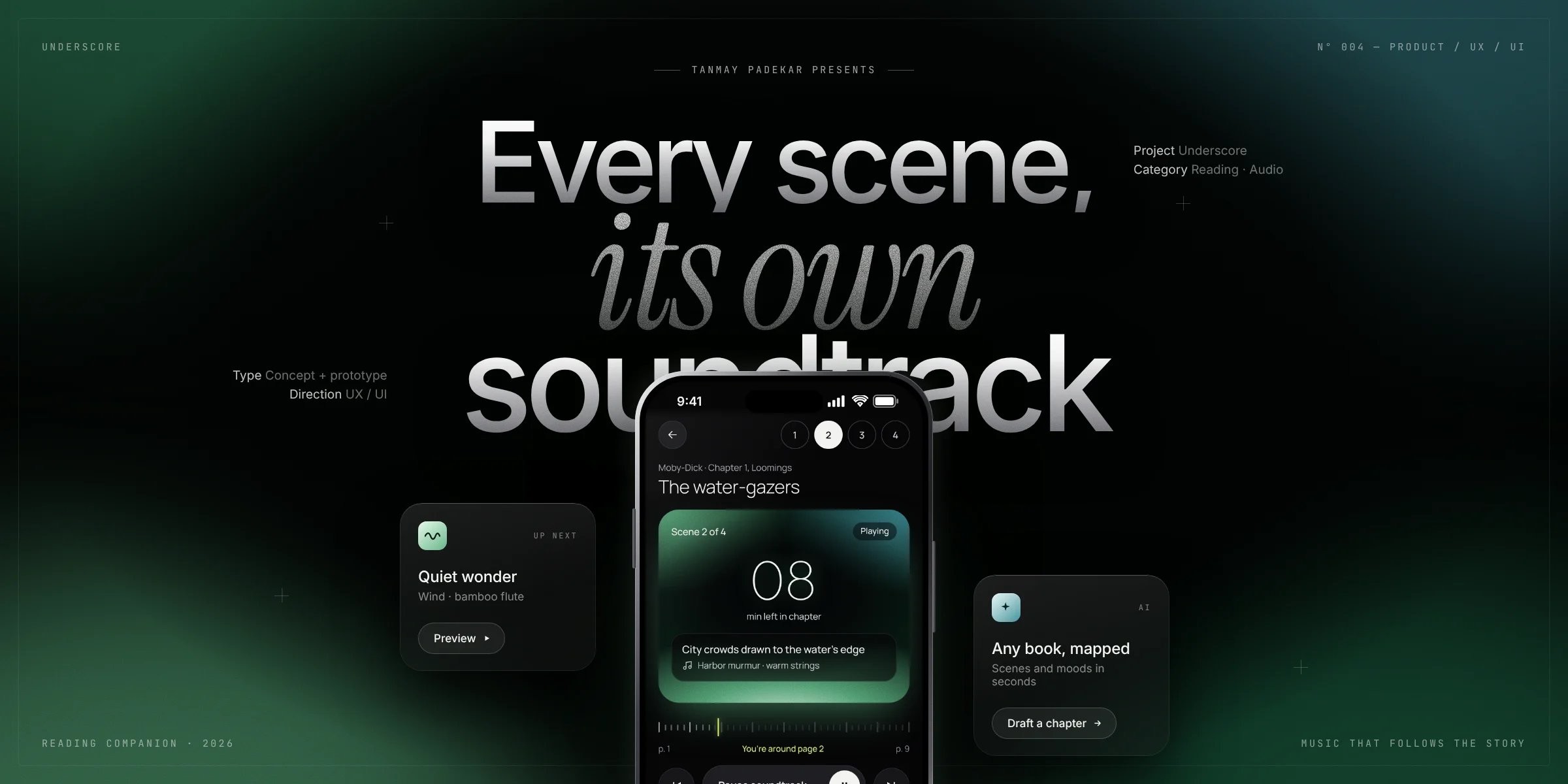
A soundtrack for the book you’re already reading
Books change mood scene by scene, but reading playlists stay on one mood for the whole session.
Pick your book and chapter. The music and screen color change with each scene while you read on paper or Kindle.
Product concept, flows, nine screens, the visual system, and a working prototype with live sound.
A working web app in 4 days, tested with readers. The core moment, music that matches the scene, held up.
After a shift I missed my bus and had half an hour at a noisy stop. I put on headphones, started a “reading background music” playlist and opened my book. The scene was a character walking along the beach in the evening, wind blowing, good thoughts drifting by, and the track that came on matched it exactly. The whole scene lifted. I got goosebumps.
That was luck. Underscore is about making it happen on purpose.
Books change mood scene by scene. Playlists don’t.
A reading playlist holds one mood for an hour, while a single chapter can move from calm to tense to warm.
People read on paper and Kindle. Nobody moves to a new reading app just to get music.
Soundtracks scored by hand for books have been tried before (Booktrack) and stayed limited to a small catalog.
Readers who already put music on to read
The starting point is someone who already reaches for a reading playlist: on a commute, at a noisy stop, or in bed at night, with a physical book or a Kindle in hand and their phone nearby. I designed around a few assumptions about that moment:
- Their eyes are on the book, not the phone. Anything the app shows has to be readable at a glance, and the phone should mostly be left alone.
- They read in dark or noisy places. A bright interface would be unwelcome at night, and the sound has to work over background noise.
- They won’t do setup for every chapter. Saying which chapter they’re on is acceptable. Marking scenes or typing page numbers is not.
- They read at their own speed. Some skim, some reread. Timing has to adapt to the person, not a fixed average.
Nothing follows the story for any book, wherever you read
Readers already have three ways to get music while they read. Each covers part of the need.
| Reading playlists | Hand-scored book soundtracks | Ambient sound apps | Underscore | |
|---|---|---|---|---|
| Changes with the scene | One mood throughout | Scored scene by scene | Set by you, not the story | Follows a scene map |
| Works with any book | Yes, generically | Only scored titles | Yes, generically | AI drafts a map for any chapter |
| Read on paper or Kindle | Yes | Read inside their app | Yes | Yes, any edition |
| Gets better with use | No | Fixed by the scorer | No | Reader votes tune each scene |
The gap was clear: the scene-level matching of a scored soundtrack, with the reach of a playlist.
Four rules I designed against
Paper, Kindle, any edition. The app never asks you to move your reading into it.
Every screen during reading answers one question in a second: which scene am I in, and does the music fit?
Timing will drift, so correcting it has to be a single tap: the page ruler or a scene number.
A near-black interface where color comes only from the current scene’s mood, so the room changes with the book.
A chapter becomes a soundtrack in five steps
The core idea is to estimate where the reader is instead of tracking it. Underscore knows how a chapter divides into scenes and how fast this person reads, so it can work out which scene they’re probably in and change the sound when the next one starts.
Three flows and a tab bar
On the design canvas, the nine screens sit in three flows: getting started, the reading flow, and finding books. Sounds, Stats and Profile sit outside the flows as tabs and settings.
Four choices that shaped the product
- The options
- Track the page with the camera or an e-reader integration, ask the reader to type page numbers, or estimate position from reading speed.
- What I chose
- Estimate from pace, correct with one tap. A one-minute reading test during onboarding measures words per minute. Playback moves through the chapter at that pace, and a page ruler (“You’re around page 2”) plus numbered scene buttons let the reader fix it instantly.
- The trade-off
- Position is approximate. I accepted that because tracking would break principle 01: it only works with some devices and editions, and a camera pointed at a page doesn’t fit reading in bed or on a bus.
- The options
- Build a reader with the text inside the app, as scored-soundtrack products do, or let people read wherever they already read.
- What I chose
- Read anywhere. The phone becomes a companion that sits beside the book. The reader only tells it the book and chapter.
- The trade-off
- The app never sees the text, so it can’t be exact. In return it works with any edition and doesn’t need book licensing.
- The options
- Score chapters by hand, which is high quality but doesn’t scale, or generate them.
- What I chose
- AI drafts, readers refine. For any chapter, AI drafts 3 to 7 scenes with one mood each and up to two ambient sounds. Guardrails: it writes summaries in its own words and never quotes the book, never reveals anything past the current chapter, and reports low confidence when it doesn’t know a chapter. Readers can add a note for lesser-known books. A thumbs-down opens a mood picker. Your own pick always wins for you, and a new mood becomes everyone’s default once at least two readers choose it and they outnumber the “fits” votes.
- The trade-off
- First drafts can be wrong. The vote rule makes that self-correcting without letting one person overwrite everyone else.
- The options
- Stream licensed music, use a fixed set of recordings, or generate music live.
- What I chose
- Generate first, layer recordings on top. Music is generated live in the browser: piano, plucked guitar and harp, music box, strings, brass and bass, with rain, waves, wind, fire, crickets and heartbeat ambience. Recorded tracks are layered in for five moods, and the app falls back to generated music if they can’t load.
- The trade-off
- Generated music is less rich than a produced score, but it’s free, doesn’t loop a fixed track, and avoids licensing in the first version.
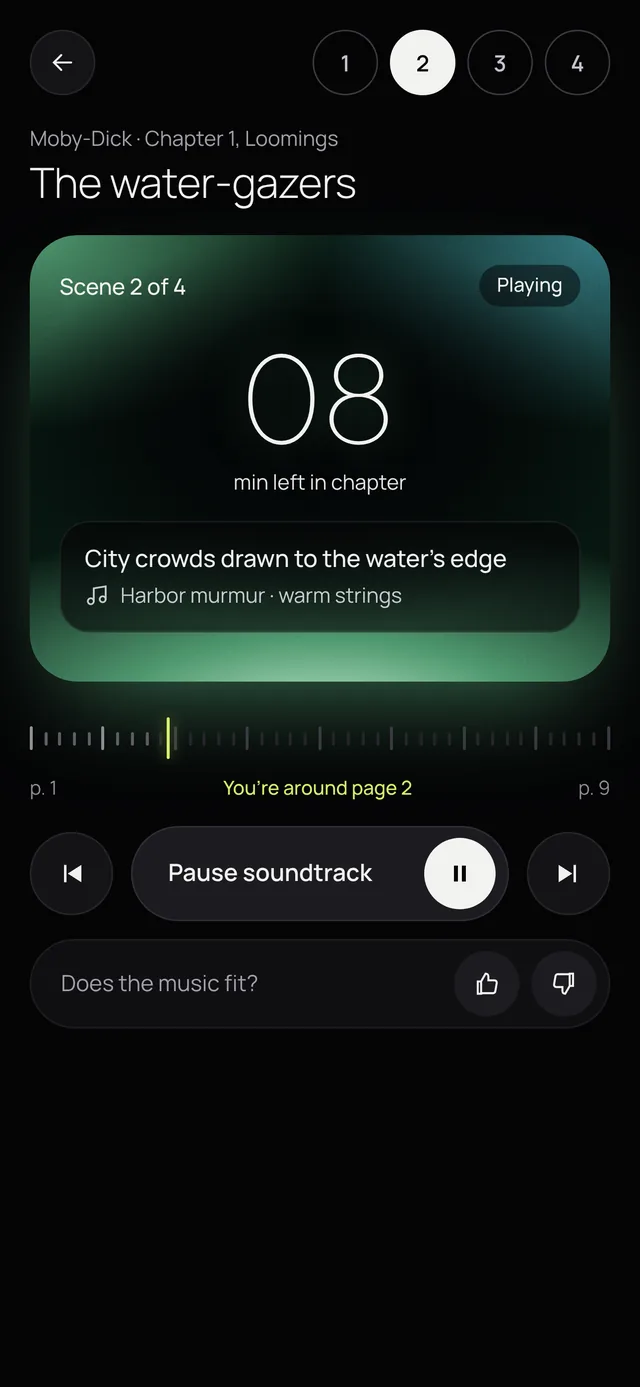
Now Playing, designed to be glanced at
This is the screen a reader sees most, usually for a second at a time between pages. Each element answers one question.
 1
2
3
4
5
6
- Scene buttonsJump straight to a scene. The fastest fix if the reader skimmed ahead or stopped to reread.
- Minutes left, in a glow cardOne large number in hairline type, readable from arm’s length. The card takes the current mood’s color.
- What’s happening and what you hearA spoiler-free scene line and the sound behind it, such as “Harbor murmur · warm strings”.
- Page ruler“You’re around page 2.” Shows the estimate in the reader’s own terms, and one tap corrects it.
- One big controlPlay and pause is the widest target on the screen, with previous and next scene on either side.
- Does the music fit?A thumbs-up or thumbs-down. This is where readers improve the map for everyone.
Small decisions for real reading conditions
While the soundtrack plays, the app keeps the screen from locking, so the scene is always one glance away. It can be turned off in Profile.
On phones that support it, a short vibration marks a scene change, so readers notice without looking.
With auto-advance off, the music waits at the end of each scene instead of moving on, for slow or interrupted reading.
iPhones mute web audio in Silent mode, so the player explains it once: turn off Silent mode, then tap Play again.
Chapters without a map say so in the list and offer an AI draft, instead of failing when tapped.
The onboarding copy keeps the reading test relaxed, so it measures the reader’s normal pace.
A near-black screen where the only color comes from the scene
Underscore is built for night reading and commutes. Each mood has its own color bloom with fine film grain, and the glow shifts when the scene changes, so the room changes with the story. Mood markers are small gradient sound waves.
Six of the eight moods. The other two are The call to sail and Party lights.
Every control is big enough to hit one-handed without looking closely.
A consistent type scale on an 8-point spacing grid, with nothing below 13px.
Layouts respect the phone’s safe areas, and every icon button has a spoken label.
Nine screens, from first launch to your stats
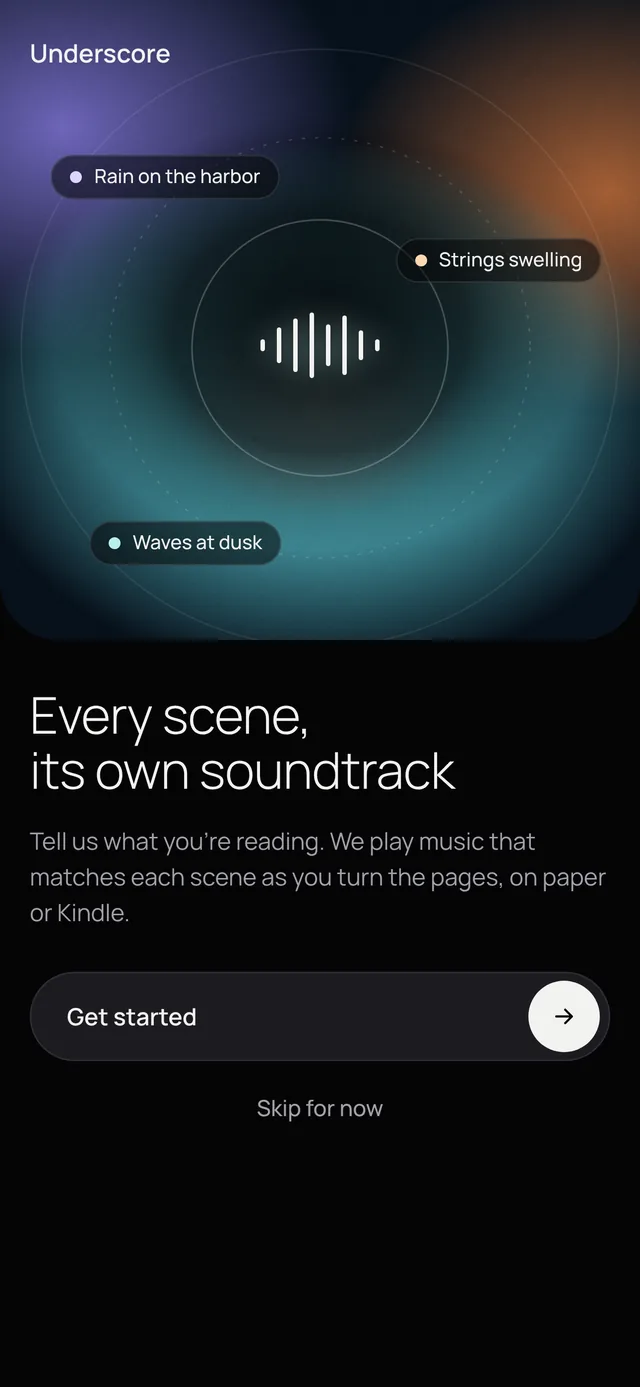
What Underscore does, in one line
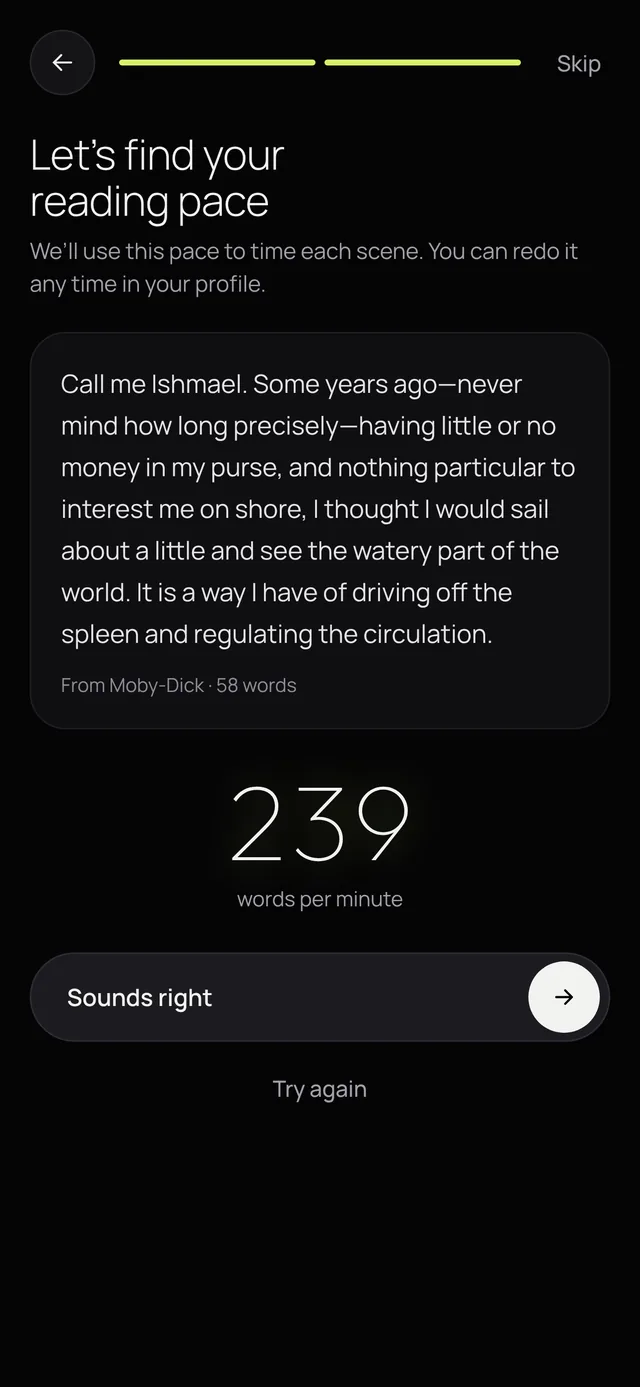
A live, timed reading test
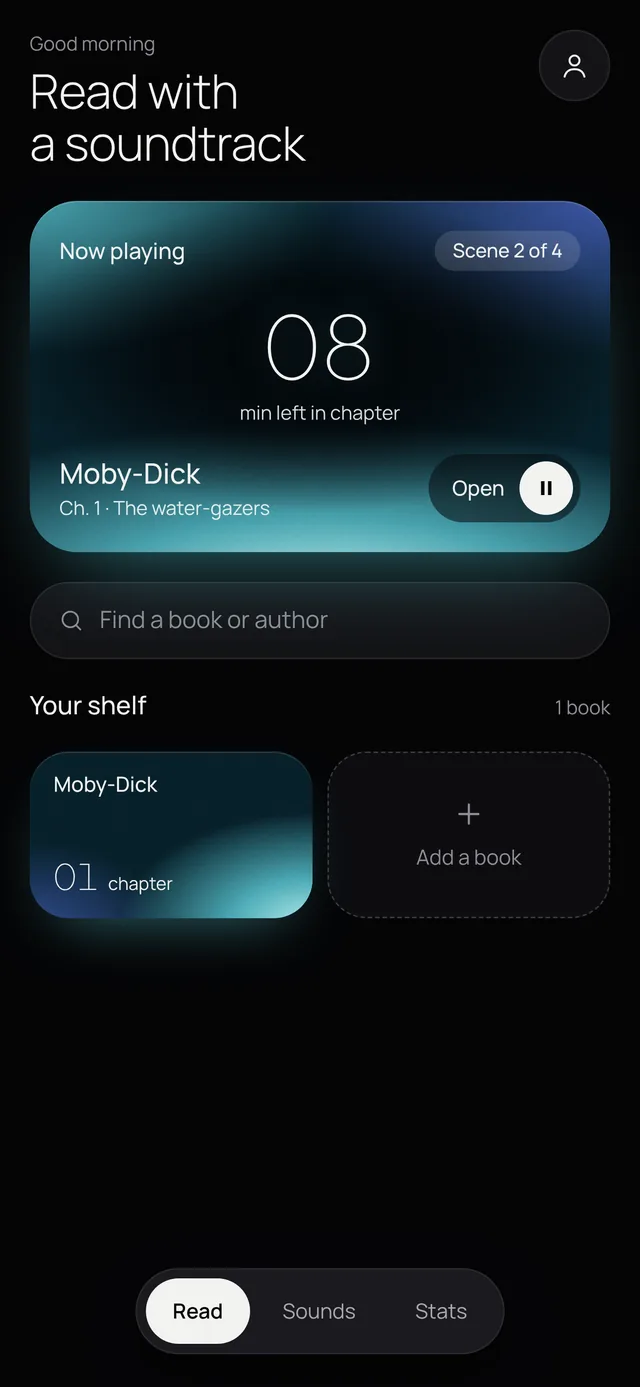
Continue-reading card and your shelf
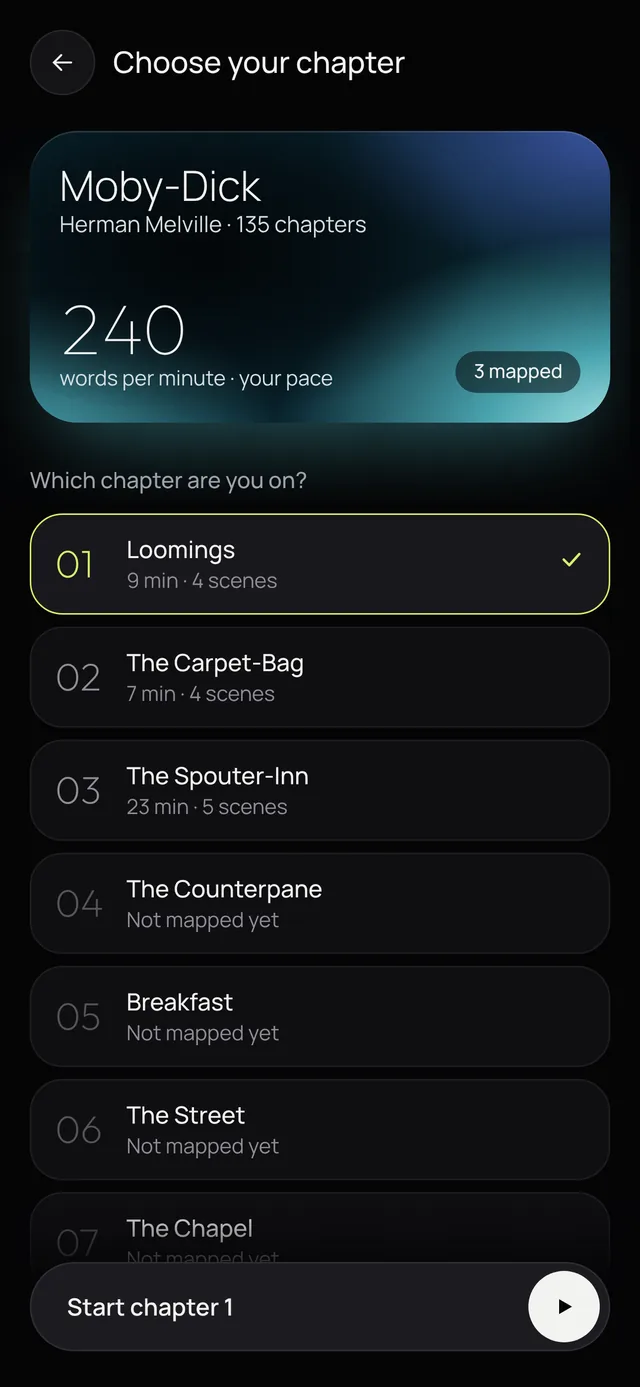
Your pace, reading time and scene count
Scene card, page ruler and “does the music fit?”
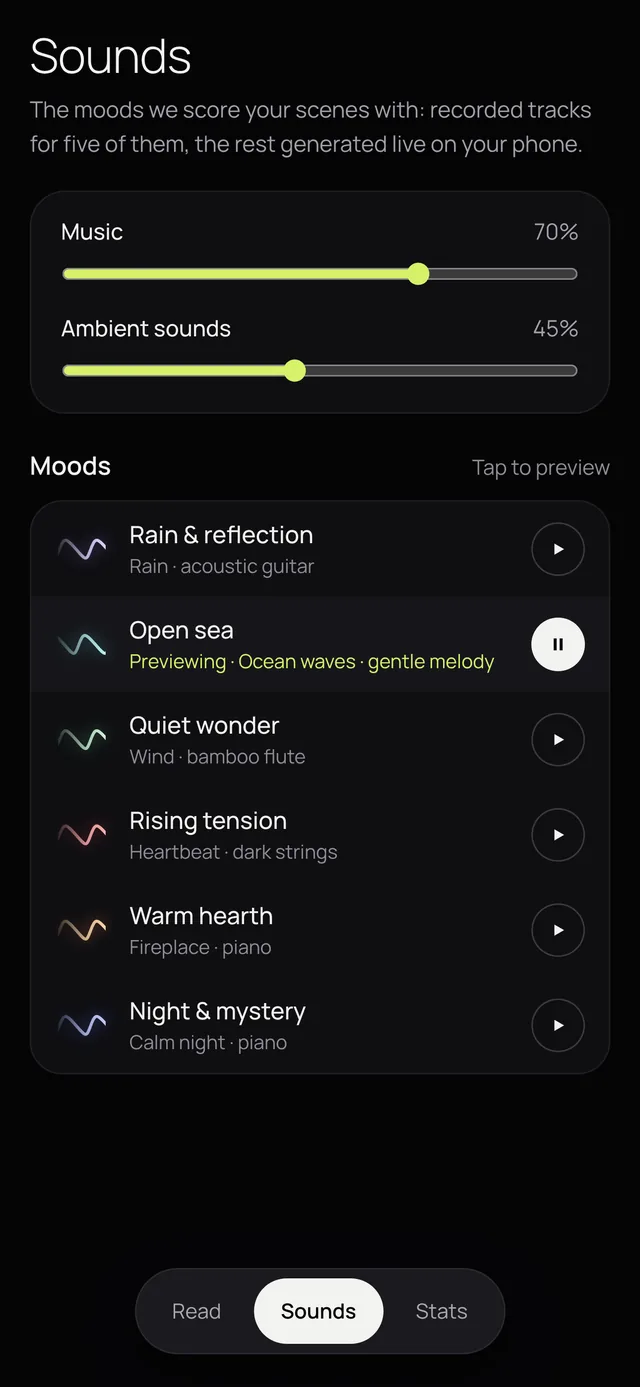
Music and ambience mix, mood previews
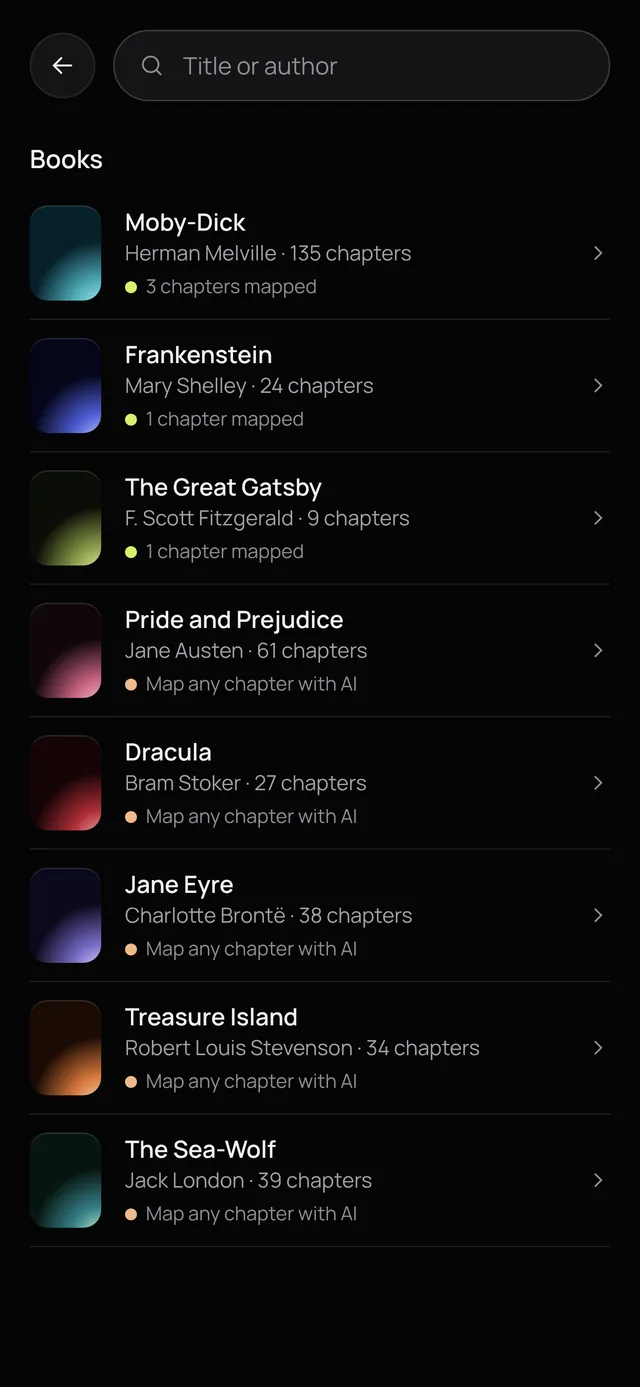
Search, or add any book with AI
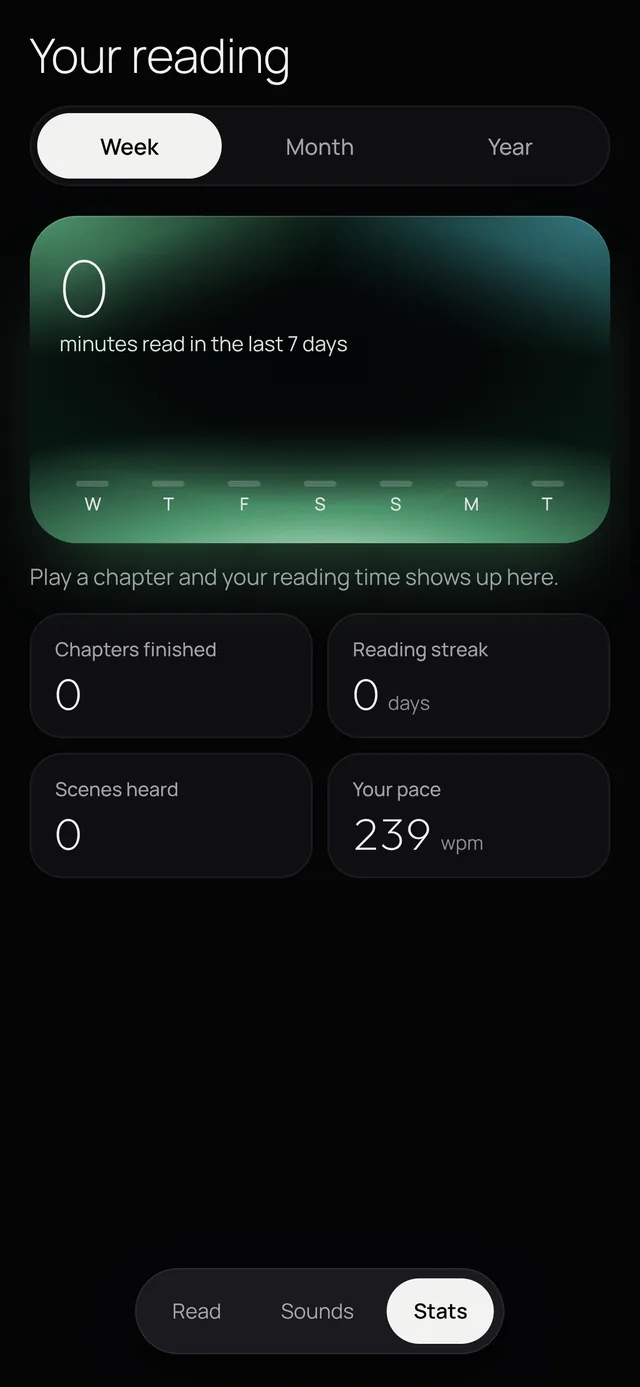
Minutes read, streak and favorite moods
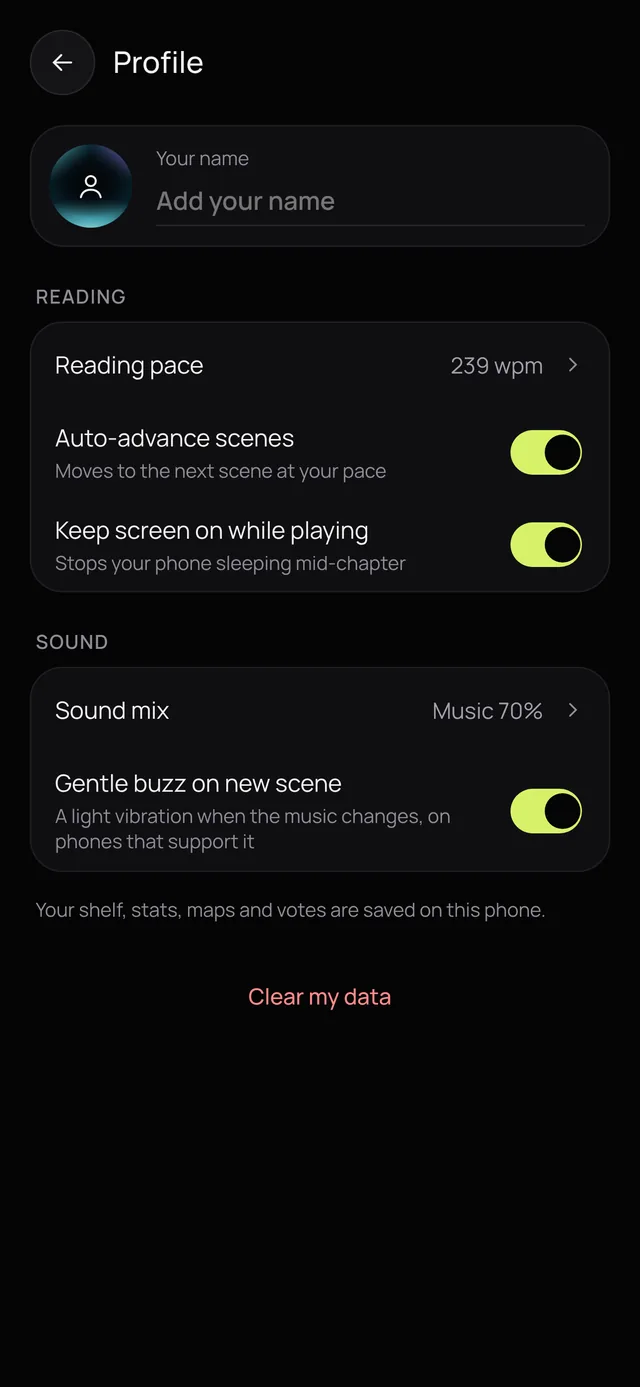
Pace, auto-advance and haptics
Does the core moment hold up?
The riskiest assumption was the whole idea: would music that changes with the scene actually make reading better, or just get in the way? I put the working prototype in front of real readers to find out. The core moment held up: the music matched the scene they were reading.
I also ran a usability pass on the interface itself, which set the touch, text and accessibility rules in the visual system above.
A working prototype, not just screens
- A working web app with all nine screens, installable to the phone’s home screen
- A live generative music engine, crossfades between scenes, and six recorded tracks
- Five hand-mapped chapters: Moby-Dick 1–3, Frankenstein 5 and The Great Gatsby 3
- AI scene maps for any book and chapter, with an optional reader note for lesser-known books
- A shared library: drafted maps, added books and mood votes shared across all readers, with per-person votes that nobody else can overwrite
AI drafting and the shared library run inside Claude, so on this site the prototype uses the five hand-mapped chapters and keeps your votes on your device.
What I’d test next
How often readers tap the ruler or jump scenes would show whether pace estimation is close enough, and for whom it isn’t.
The thumbs-down rate per scene, compared between hand-mapped and AI-drafted chapters, would show where drafts need work.
A new mood needs two readers to agree. Lesser-known books may never reach that, so they may need a different rule.
Whether readers finish more chapters with the soundtrack on is the measure that matters most for the product.
From prototype to a free web app
A free web app with its own backend for AI drafting and the shared library.
Swap in fully licensed or CC0 recordings.
iOS and Android apps once the web version proves itself.